
The Microsoft Office Specialist (MOS) certification proves your professional expertise in Microsoft applications like Word, Excel, and PowerPoint.
It’s one of the most recognized credentials for improving productivity and career opportunities.
With the proper preparation, you can pass the exam confidently and gain a competitive advantage in the workplace.
Understanding the Microsoft Office Specialist Certification
You need to understand what the Microsoft Office Specialist (MOS) certification offers before you start your training.
It helps you identify which applications and skill levels match your career goals. Below are the main points that explain what this certification involves.
- Definition: The MOS certification verifies your ability to use Microsoft Office tools effectively and professionally.
- Recognition: It’s globally recognized by employers, schools, and organizations as proof of digital competence.
- Available Programs: Includes exams for Word, Excel, PowerPoint, Outlook, and Access, with Expert and Associate levels.
- Eligibility: Open to students, professionals, and educators who use Microsoft Office regularly.
- Skill Validation: Demonstrates real-world skills such as data management, presentation design, and document formatting.
- Industry Relevance: Valuable for administrative, IT, business, and education-related careers.
Benefits of Becoming a Microsoft Office Specialist
Earning the Microsoft Office Specialist (MOS) certification gives you clear professional advantages.
It not only validates your technical skills but also helps you stand out in today’s competitive job market.
Here are the key benefits you can expect after becoming certified.
- Career Advancement: Increases your chances for promotions and higher-paying positions in administrative, business, and IT roles.
- Skill Recognition: Proves your expertise in Microsoft Office tools, giving employers confidence in your technical ability.
- Productivity Boost: Helps you complete daily tasks faster through shortcuts, automation, and advanced features.
- Credibility: Strengthens your professional profile and makes your résumé more attractive to hiring managers.
- Global Acceptance: Recognized internationally by companies, universities, and government agencies.
- Academic Support: Provides students and educators with measurable certification that enhances classroom and online learning outcomes.
Exam Structure and Requirements
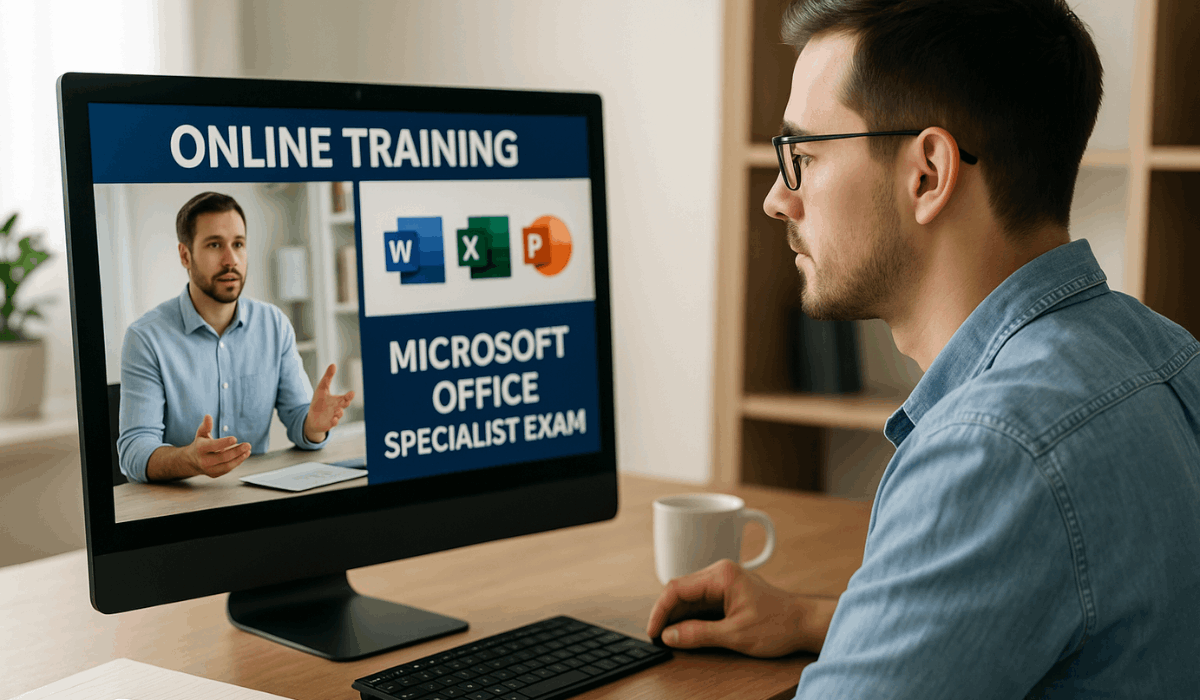
You should know how the Microsoft Office Specialist (MOS) exam works before studying.
Its format tests your real-world Office skills under timed conditions. Here’s a quick overview of what to expect.
- Format: Performance-based with real tasks in Microsoft Office apps
- Questions: Multiple short projects to test applied skills
- Time: Around 50 minutes per exam
- Platform: Offered via Certiport or Pearson VUE
- Passing Score: Usually 700 out of 1000
- Versions: Covers Microsoft 365 and Office 2021
- Requirements: No prerequisites, but basic Office knowledge helps
Step-by-Step Training Plan
To prepare effectively for the Microsoft Office Specialist (MOS) exam, follow a structured study plan.
Each step builds your skills and confidence before test day. Here’s a simple guide to get you started.
- Assess Your Skills: Identify what you already know and where you need improvement.
- Choose Your Focus: Pick one or more apps, such as Word, Excel, or PowerPoint.
- Use Official Materials: Study with Microsoft Learn, GMetrix, or LinkedIn Learning.
- Practice Tasks: Apply what you learn through real projects and exercises.
- Take Mock Exams: Simulate test conditions to track your readiness.
- Review Mistakes: Analyze weak areas and practice again for accuracy.
Learning Tools and Resources
Using the right tools is key to preparing well for the Microsoft Office Specialist (MOS) exam.
These resources help you practice real-world tasks and understand each application deeply. Here are some of the most effective tools you can use.
- Microsoft Learn: Free official tutorials for every Office app, explained step by step.
- GMetrix Practice Tests: Realistic mock exams with timers and instant feedback.
- LinkedIn Learning: Professional video lessons covering basic to advanced features.
- MOS Study Guides: Printable or digital books aligned with official exam goals.
- Community Forums: Online spaces to share tips and get help from other learners.
- Templates and Projects: Downloadable files to practice real Office tasks hands-on.
Preparation Tips for Success
Preparing for the Microsoft Office Specialist (MOS) exam takes consistency, focus, and good study habits.
A well-structured approach will help you stay confident and ready on test day.
Follow these practical tips to strengthen your preparation and improve your performance.
- Set a Study Schedule: Plan a clear daily or weekly timetable to organize your study sessions and track your progress effectively.
- Focus on Weak Areas: Identify the topics or tools you struggle with and dedicate extra time to mastering them through repeated practice.
- Use Keyboard Shortcuts: Learn and apply shortcuts in Word, Excel, and PowerPoint to complete tasks faster and increase efficiency.
- Review with Mock Tests: Take multiple timed practice exams to build familiarity with the test format and reduce exam-day anxiety.
- Study in Real Environments: Work on actual Office documents, spreadsheets, or presentations to apply your skills in real scenarios.
- Join Online Groups: Participate in online forums or study communities to share tips, ask questions, and stay motivated through peer support.
Certification Exam Registration Process
Registering for the Microsoft Office Specialist (MOS) exam is a simple process if you follow each step carefully.
You can choose to take the test online or at an authorized testing center. Here’s a quick guide to help you complete your registration smoothly.
- Create a Certiport Account: Visit the official Certiport website, click “Register,” and sign up using a valid email to manage your exam records.
- Select Your Exam: Choose the Office app and version you want, like Word or Excel.
- Find a Testing Center: Locate a Certiport or Pearson VUE site, or choose the online option.
- Schedule Your Exam Date: Pick a convenient time and confirm your slot online.
- Complete Payment: Pay the exam fee using your preferred method.
- Prepare Documents: Bring or upload a valid ID for verification.
- Receive Confirmation: Check your email for your booking details and test instructions.
Career Paths After Earning MOS Certification
The Microsoft Office Specialist (MOS) certification can lead to multiple career opportunities.
It shows employers that you’re skilled and ready for professional tasks. Here are some typical jobs you can pursue after getting certified.
- Administrative Assistant: Handle office tasks, reports, and communications using Office tools.
- Data Analyst: Use Excel to organize data and create simple reports or charts.
- Office Manager: Manage daily operations and coordinate team activities.
- Project Coordinator: Track projects, prepare updates, and maintain key documents.
- Educator or Trainer: Teach Microsoft Office skills to students or employees.
- Customer Support Specialist: Use Office apps to manage client data and reports.
- Freelancer: Create documents, spreadsheets, and presentations for clients.
Estimated Costs and Validity
Knowing the cost and validity of the Microsoft Office Specialist (MOS) certification helps you plan your budget and long-term goals.
Prices may vary depending on your region and training choice. Here’s a quick summary of what to expect.
- Cost per Exam: Each exam usually costs about US $100, though local rates may differ slightly.
- Training Packages: Some courses that include study materials and exam vouchers can cost up to US $2,000.
- Validity Period: The MOS certification does not expire, so you only need to earn it once.
- Version Relevance: While your certificate remains valid, newer versions of Microsoft Office may require updated exams.
Final Takeaway
The Microsoft Office Specialist (MOS) certification is a smart way to prove your skills and advance your career.
With consistent practice and the proper study tools, you can pass the exam and gain lasting professional credibility.
Start your journey today by enrolling in a certified training program and scheduling your MOS exam to take the next step in your career.